
The Shopify proof approval app for custom orders
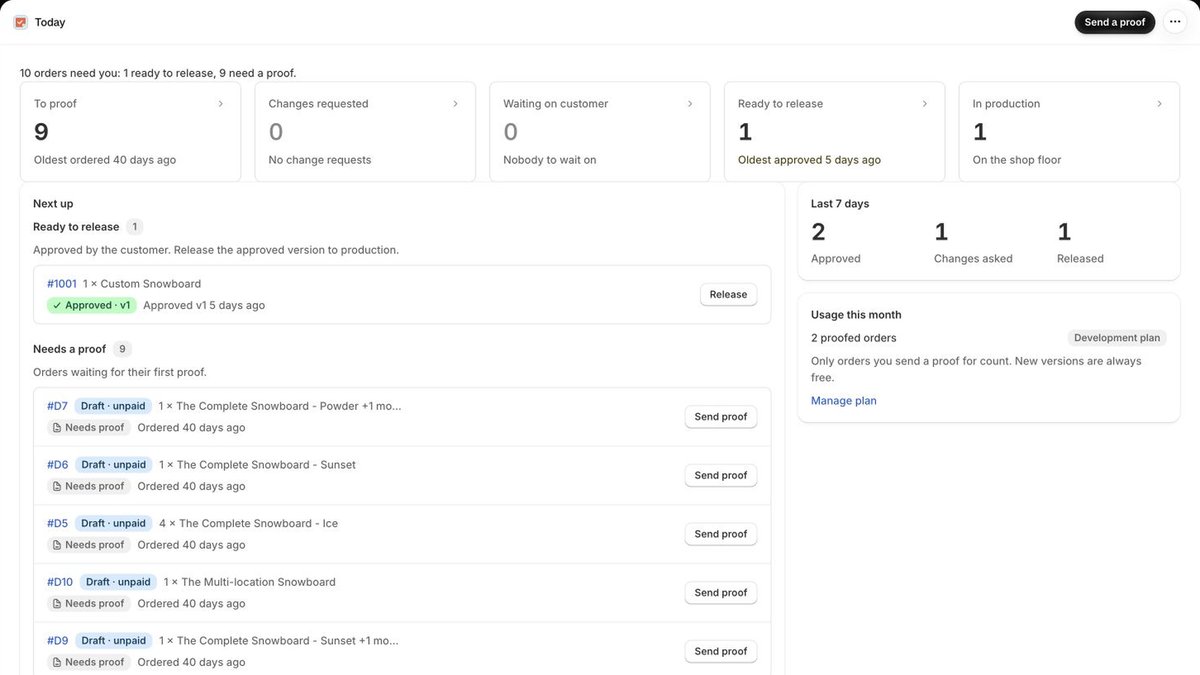
MakeApproved works inside Shopify admin. Send the artwork for an order, let the customer approve the exact version without an account, and release the order to production only after approval.
How it works in Shopify
Open the order
Pick a Shopify order or draft order and upload the proof.
Send one link
Email it from the app or paste it into any chat.
Customer decides
Approve, or request changes with a written comment.
Release it
Release the approved version to production.
What you get
Proofs from any order
Open a Shopify order or draft order inside Shopify admin and upload PDF, JPEG, PNG or WebP proofs, up to 20 MB each and 10 files per version.
No login for customers
Send one private link by email from the app, or paste it into chat, text, Instagram or Etsy messages. Customers approve or request changes in their browser.
Every version on record
Version 2 never replaces version 1. Each keeps its own files, comments and decision, so you can show who approved which version and when.
Reminders that stop themselves
Pick Standard (day 2, 4 and 7), Rush (12 hours, day 1 and 2), Gentle (day 3 and 7) or none. Reminders stop when the customer decides. Auto-approve after a set number of days is optional and recorded as automatic.
Release to production
After approval, choose Release to production and move the order through your own production stages. Each stage can notify the customer.
Your team and your brand
Add designers from your Shopify staff accounts and assign orders to them. The review page shows your shop name, logo and accent colour, in 8 languages.
Proof status as Shopify order tags
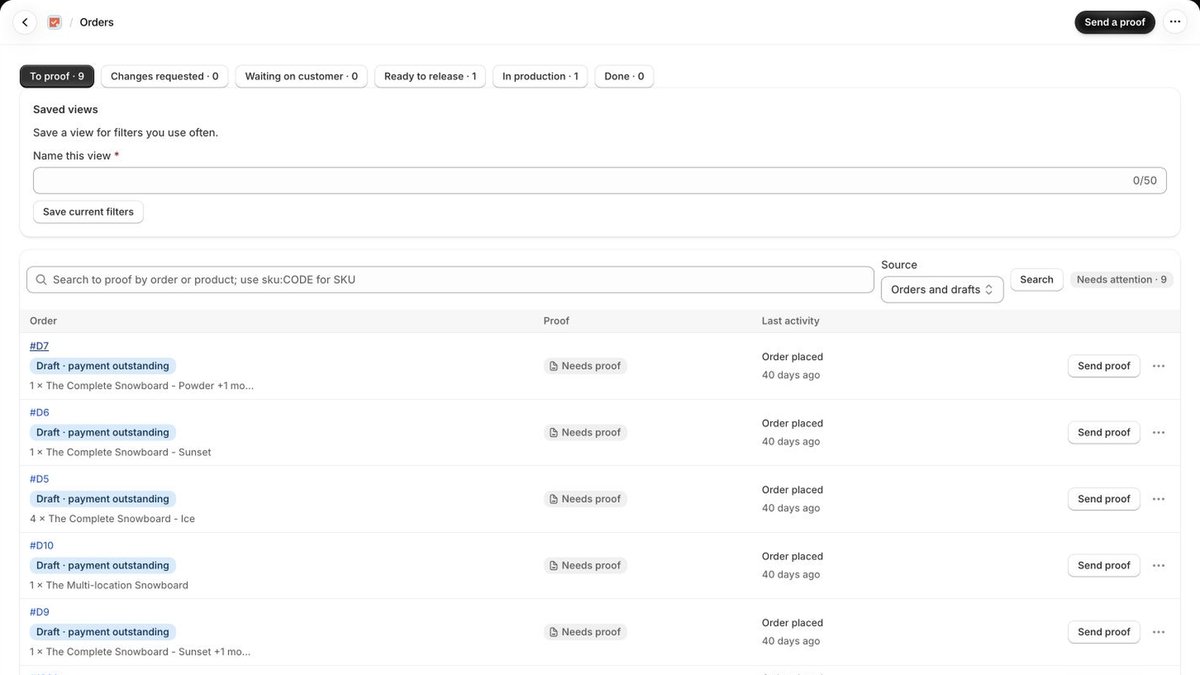
MakeApproved keeps one tag per order up to date, so you can filter orders and build saved views in Shopify admin. Your own tags are never touched.
| Tag | Meaning |
|---|---|
proof:required | Optional: treat only orders with this tag as needing a proof |
proof:draft | A proof is being prepared but not sent |
proof:sent | Waiting on the customer |
proof:changes-requested | The customer asked for changes |
proof:approved | Approved by the customer, or auto-approved |
proof:waived | Marked as No proof needed |
proof:canceled | The proof was canceled or expired |
production:released | Released to production |
Built for shops that make to order
Print and sticker shops, label makers, engravers, embroidery shops, sign makers and custom apparel: if a mistake means a reprint, the customer should approve the proof first. Start your messages with the free proof approval email templates and set your rules with the proof disclaimer generator.
Free for 10 proofed orders a month
Paid plans from $9 to $99 a month, each with a 14-day free trial and billed through Shopify. You pay for proofed orders, not seats or revisions. Compare plans.
Questions
Something else? Email contact@makeapproved.com.
Does MakeApproved put a hold on Shopify fulfillment?
No. MakeApproved doesn’t place a Shopify fulfillment hold. It tracks each order’s proof status, tags the order in Shopify and gives you a Release to production step after approval, so your team can work only from approved, released orders.
Does it work with draft orders?
Yes. You can send proofs for regular Shopify orders and for supported draft orders, so the customer can approve the artwork before they pay.
Do I have to proof every order?
No. Mark an order as No proof needed and it goes straight to production, or only treat orders tagged proof:required as needing a proof.
Can I filter Shopify orders by proof status?
Yes. MakeApproved adds and removes its own tags, such as proof:sent, proof:approved and production:released, and never touches your other tags, so you can filter and save views in Shopify admin.
How much does it cost?
The Free plan includes 10 proofed orders a month. Paid plans run from $9 to $99 a month for 40 to 2,000 proofed orders, with a 14-day free trial, billed through Shopify. Team members and revisions are unlimited.